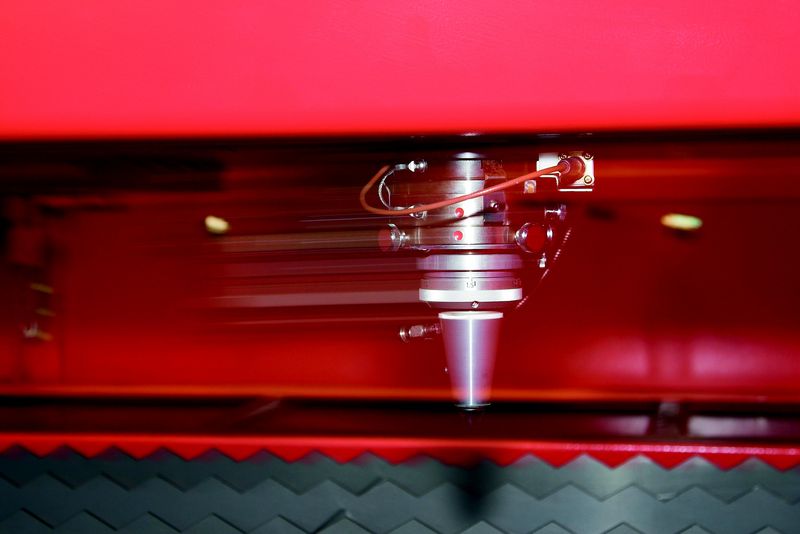
The QUATTRO is one of the most flexible, efficient and compact lasers on the market. Many metal working companies have a large number of components to manufacture but only need to produce one or two at a time. Ease of use, plus low operating costs make the QUATTRO the ideal solution for low volumes, without forgoing precision and quality.
This machine is no longer available.
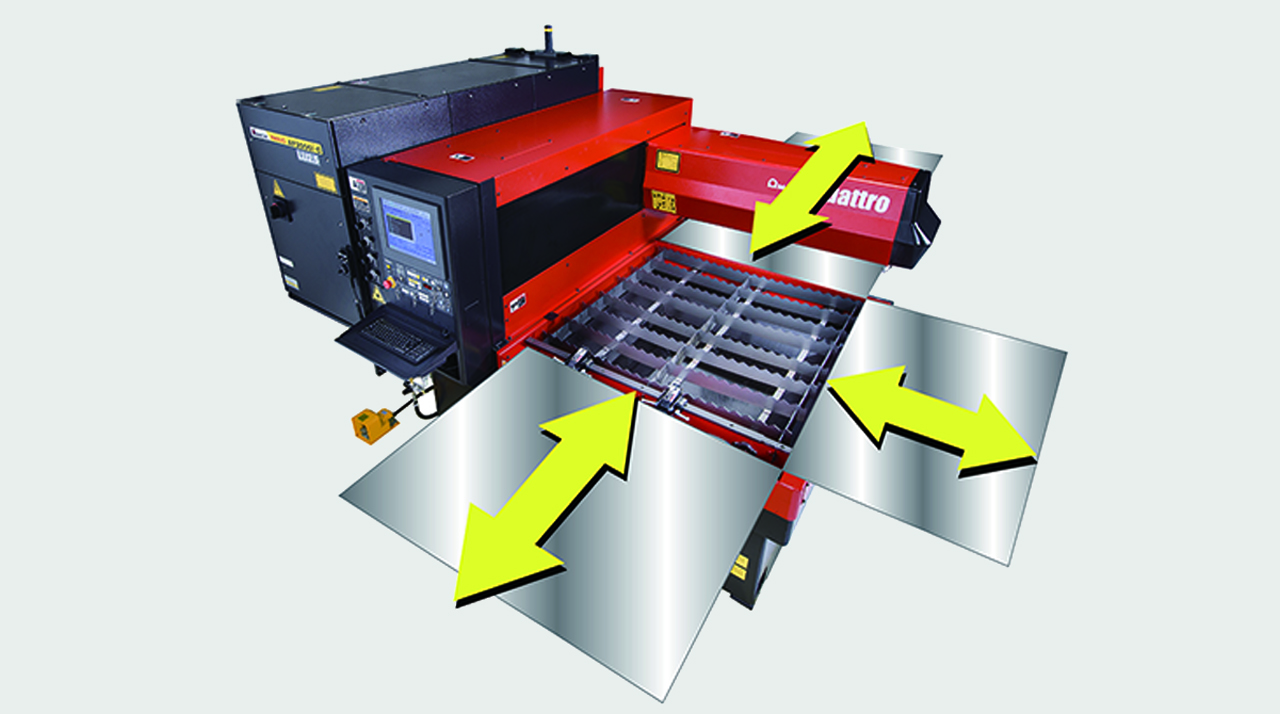
FULL ACCESS TO THE CUTTING AREA:
The three accessible sides of the QUATTRO laser facilitate sheet metal loading and unloading. Large-sized sheets which are bigger than the work area can also be processed, repositioning them manually.
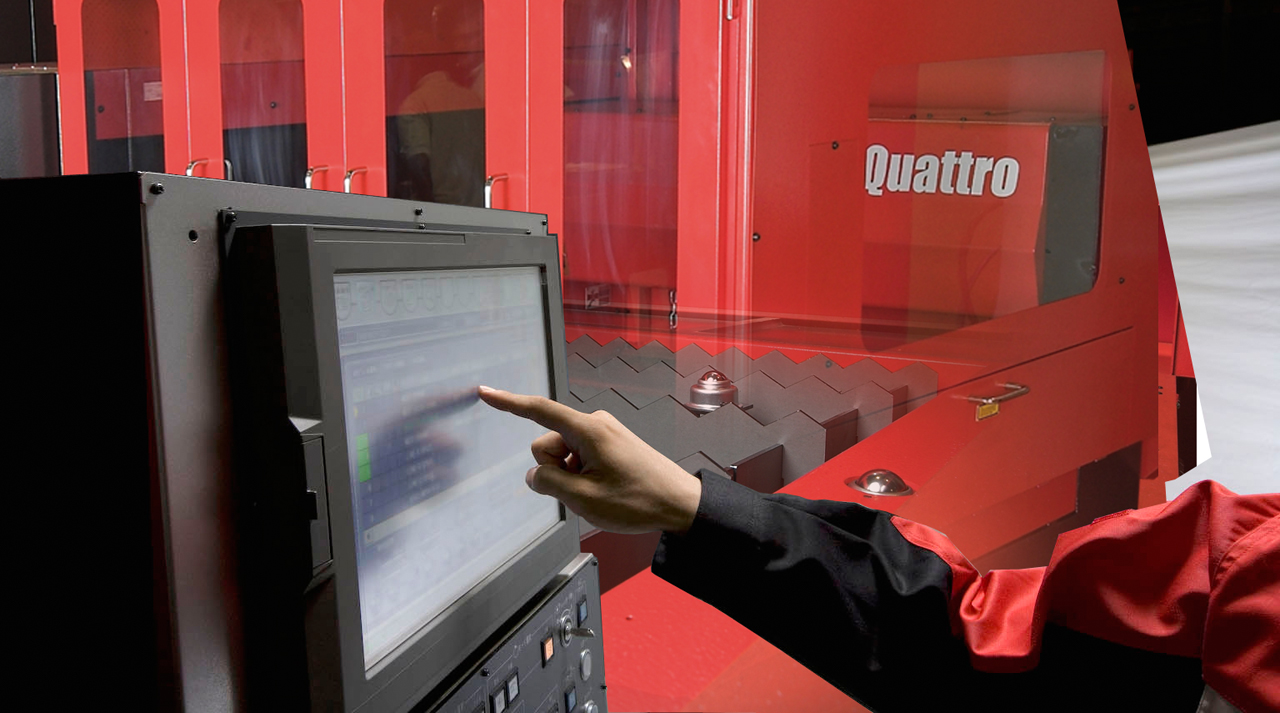
COMPACT STRUCTURE:
With a footprint of just 6.4 m2, the QUATTRO is AMADA's smallest laser. The oscillator and numerical control are contained within the machine to maintain its extremely compact size.
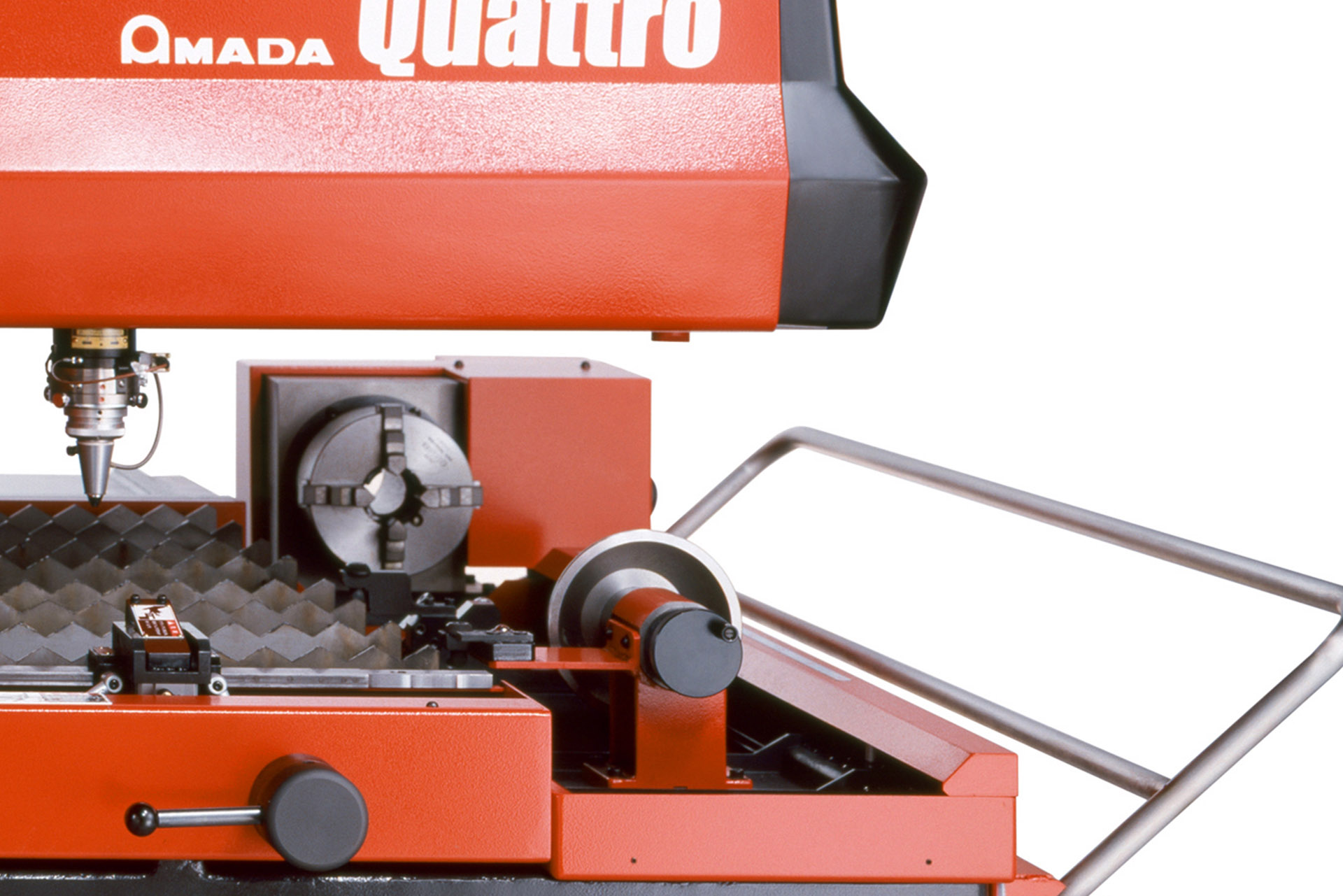
DIVERSIFIED PROCESSING:
With the QUATTRO, not only sheet metal but rectangular and square tubes can be processed, providing even greater flexibility. (Option)
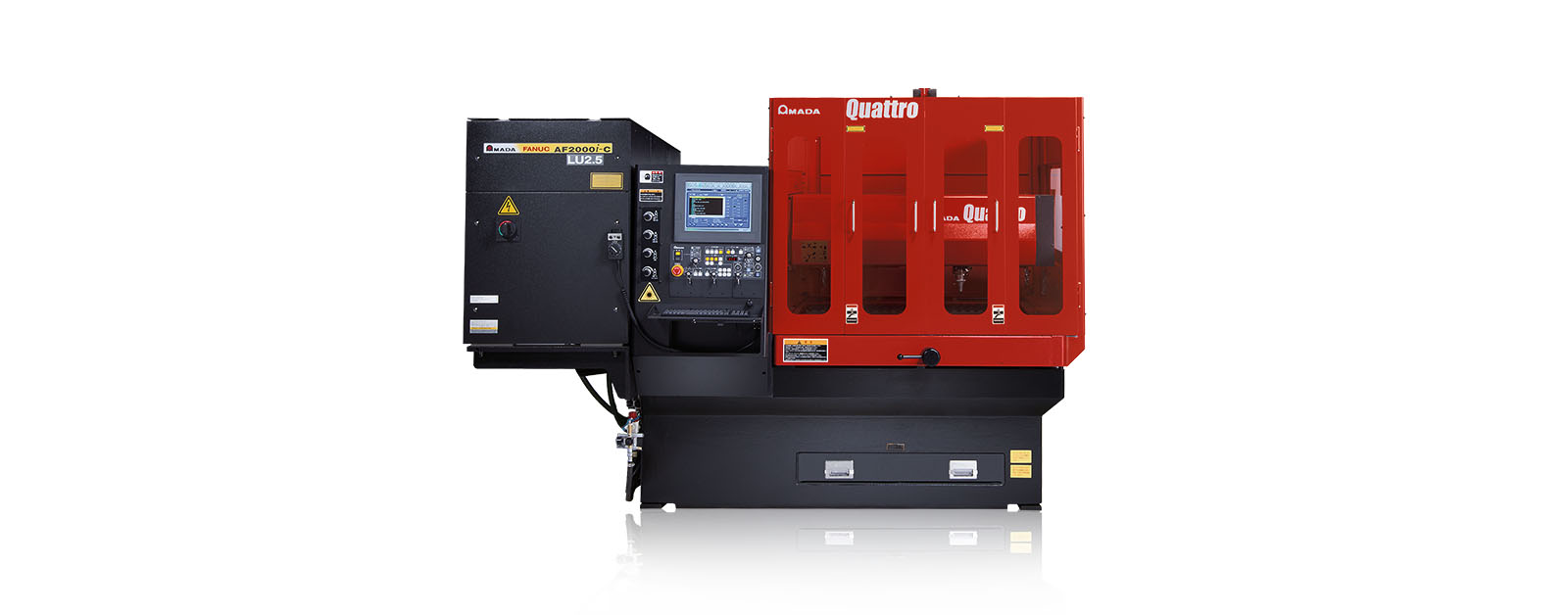
FULL ACCESS TO THE CUTTING AREA:
The three accessible sides of the QUATTRO laser facilitate sheet metal loading and unloading. Large-sized sheets which are bigger than the work area can also be processed, repositioning them manually.
COMPACT STRUCTURE:
With a footprint of just 6.4 m2, the QUATTRO is AMADA's smallest laser. The oscillator and numerical control are contained within the machine to maintain its extremely compact size.
DIVERSIFIED PROCESSING:
With the QUATTRO, not only sheet metal but rectangular and square tubes can be processed, providing even greater flexibility. (Option)
| QUATTRO | QUATTRO | |
|---|---|---|
| Laser power (W) | 1000 | 2500 |
| Machine type | CO₂ flying optic laser | CO₂ flying optic laser |
| Working range X x Y (mm) | 1250 x 1250 | 1250 x 1250 |
| Working range Z-axis (mm) | 100 | 100 |
| Table loading weight (kg) | 80 | 160 |
Material thickness (max.)*: | ||
| - Mild steel (mm) | 6 | 12 |
| - Stainless steel (mm) | 2 | 5 |
| - Aluminium (mm) | 1 | 4 |
Dimensions: | ||
| Length (mm) | 2900 | 2950 |
| Width (mm) | 2450 | 2450 |
| Height (mm) | 2160 | 2160 |
| Weight (kg) | 3750 | 4150 |
* Maximum thickness value depends on material quality and environmental conditions
Technical data can vary depending on configuration / options
Please contact us for more details and options or download our brochure

For your safe use.
Be sure to read the user manual carefully before use.
When using this product, appropriate personal protection equipment must be used.

Laser class 1 when operated in accordance to EN 60825-1
During early testing, the engineers encountered a stubborn class of controllers using a proprietary handshake style the field techs called PTPT — Phase-Timed Pulse Transfer. PTPT wasn't documented anywhere. It behaved like a hybrid between pulse-width signaling and time-division multiplexing; its subtle timing offsets acted as authentication. If timing was even a few microseconds off, the controller would lock down until the next power cycle.
Rina assigned Milo, a specialist in signal archaeology, to reverse-engineer PTPT. Milo spent nights under infrared lamps, tracing waveforms, and building state machines that could reproduce the phase jitter and drift. Eventually he realized PTPT's "quirk" was a deliberate throttle embedded by the original manufacturer to prevent third-party modules from taking control — a protection scheme that relied on analog aging components' thermal characteristics.
To emulate PTPT reliably, Autodata 341 needed an adaptive timing engine: a microsecond-scale scheduler with real-time feedback, plus a temperature model that could simulate aged components. They called that engine PTPT Mode — a firmware layer capable of learning and replicating subtle analog imperfections.
Three years after the first prototype, Autodata 341 units hummed across continents, translating voices of obsolete machines into a modern orchestration. Meridian Lines retired costly controller replacements and extended the service life of many rigs. Accidents due to miscommunication dropped as devices standardized on safe, emulated behavior.
Autodata evolved too. The 341 platform became a template: modular translators for other industries, from agritech to maritime systems. PTPT Mode remained a technical legend inside a locked repository — a testament to the team's patient engineering and ethical choices.
In an age when devices are replaced as fast as fashions change, Autodata found value in listening. They taught the world that sometimes the shortest path forward is not to discard the past but to understand and translate it — microsecond by microsecond.
Epilogue Milo, now leading a small research group, kept a battered oscilloscope in his office. Sometimes he would replay an old PTPT trace and smile at the particular irregularities that had once frustrated him. They were, he said, fingerprints of the people who had designed those machines — a human imperfection that, once understood, allowed new life to be breathed into old steel.
Mastering Autodata 3.41: Your Workshop’s Digital Blueprint
If you run a professional garage or are a dedicated home mechanic, you know that modern vehicle repair is as much about data as it is about wrenches. Autodata 3.41 remains one of the most popular versions for offline technical access, offering a massive database of wiring diagrams, service schedules, and repair procedures. Why Autodata 3.41 is Essential
This software acts as a "one-stop shop" for technical specifications. Instead of searching through dusty manuals, you get instant access to:
Wiring Diagrams: Interactive maps for complex electrical troubleshooting.
Service Schedules: Official manufacturer maintenance intervals.
Technical Data: Torques, oil capacities, and timing belt instructions.
Fault Codes: Quick definitions for diagnostic trouble codes (DTCs). 🛠️ Step-by-Step Installation Guide
Installing the ISO version of Autodata 3.41 requires precision to ensure the emulator and license registry function correctly. Follow these steps derived from professional Autodata Installation Instructions:
Mount the ISO: Use a tool like Rufus or WinCDEmu to mount the ISO file as a virtual drive.
Run the Installer: Navigate to the folder and run Install_x86 or Install_x64 as Administrator, depending on your system.
Disable UAC: Temporarily turn off User Account Control (UAC) to allow system files to register.
Generate UID: Open the "License" folder to obtain your unique identification number (UID).
Register License: Use your UID to generate a license log file and run the resulting registry file. autodata 341 ptpt iso top
Launch Emulator: Start the Sentinel driver or emulator as Administrator to bypass hardware key requirements.
Regional Settings: If the software fails to open, change your Windows Regional Settings to English (US). Pro-Tips for Peak Performance
Use a Virtual Machine: Many users find that running Autodata on a VM (like VirtualBox) avoids compatibility issues with newer versions of Windows 10 or 11.
Offline Mode: Keep your shop PC offline when using legacy software versions to prevent automatic updates from breaking the license patch.
Backup Your Registry: Once the license is active, export your registry key as a backup. ⚡ Is it Time to Upgrade?
While version 3.41 is a solid offline choice, Autodata Online offers real-time updates for the latest vehicle models and cloud-based features. You can explore official options and modern diagnostic tools directly on the Autodata Group Global Site.
If you'd like to troubleshoot a specific error (like "E0209" or "Sentinel Key not found"), let me know and I can provide the exact fix.
Портал Autodata.ru для автолюбителей и автодиагностов
In the heart of Lisbon’s industrial district, ran a garage that felt more like a museum of European automotive history than a modern shop
. His hands were permanently stained with the oil of a thousand engines, and his pride was a 2012 Ford Focus that had baffled every other mechanic in the city.
The car had arrived with a persistent "P0171" error—the dreaded lean mixture—that caused it to sputter like a dying breath whenever Elias hit the gas. He had spent nights wrestling with generic manuals and half-translated software, but the wiring diagrams were always just a little bit off, leading him down expensive rabbit holes of replaced sensors and wasted time.
One rainy Tuesday, a courier arrived with a silver USB drive labeled Autodata 3.41 PT PT MEGA
. It was the legendary Portuguese edition, an ISO image rumored to contain the "Mega" database—over 12,000 models mapped out in perfect, technical Portuguese.
Elias plugged it in, the software hummed to life, and for the first time, the Focus’s secrets were laid bare. Instead of a generic "check fuel system" message, the screen showed a crisp, localized flow chart. It pointed him exactly to pino do conector (the connector pin) and provided the exact voltage he should see.
He traced a vacuum leak in the intake manifold—a hairline crack the previous software hadn't even suggested testing for. With the Autodata 3.41
as his guide, Elias didn't just fix the car; he reclaimed his reputation. As the Focus roared to life, smooth and steady, Elias looked at the screen and smiled. He wasn't just a mechanic anymore; with the right data in his own language, he was a master of the machine. of this version or perhaps tips on installing automotive software? AI responses may include mistakes. Learn more
Throttle position sensors (TPS) are critical for engine management. The ECU uses the TPS signal to determine fuel delivery, ignition timing, idle speed, and even transmission shift points. If the TPS signal fails or is miscalibrated, you will see symptoms like:
The ISO TOP protocol is essential because many ECUs learn the closed-throttle position (idle) and wide-open-throttle (WOT) positions. If you replace a TPS without following the correct synchronization procedure—often requiring the throttle plate to be at a precise angle (e.g., top dead center for certain airflow calculations)—the ECU will miscalculate load. Autodata 341 provides the exact steps, pinouts, and voltage ranges for this process.
While the "ISO" method of obtaining software is common, it carries risks. Unofficial downloads of Autodata 3.41 often contain modified executables (cracks) or potentially unwanted programs (PUPs). Additionally, relying on a database from the 3.41 era for modern vehicles (post-2015) can lead to diagnostic errors due to outdated technical data. During early testing, the engineers encountered a stubborn
Note: If you were looking for a specific technical manual or a download link, please be aware that I cannot provide links to copyrighted software or unauthorized distribution sites. I can, however, assist with troubleshooting the installation of legitimate software or finding official alternatives.
Autodata 3.41 is a legacy version of the professional automotive maintenance software, widely recognized for providing technical specifications, wiring diagrams, and service information for vehicles updated through roughly
. While later versions like 3.45 exist, version 3.41 remains popular in certain regions due to its multi-language support and relative stability on older operating systems. AliExpress Software Overview Version Focus : Covers vehicle technical data up to the 2012 update year. Language Support
: Unlike version 3.45 (often English-only), Autodata 3.41 frequently includes support for multiple languages, including Portuguese , and others. Core Features Wiring Diagrams : Complete schematics for electrical troubleshooting. Diagnostic Support
: Professional-grade data for vehicle fault detection and car repair. System Compatibility : Designed for Windows XP, 7, 8, and 10. AliExpress Finding and Installing the ISO
The "ISO" format refers to a disk image that allows you to install the software as if you had the original physical CD. Purchase and Delivery
: Currently, this legacy software is often sold by specialized retailers on platforms like AliExpress , where it is typically delivered as a digital download link via email rather than a physical product. Installation Method : Obtain the .iso file from a verified source. Mount or Burn
: Use software to "mount" the ISO as a virtual drive or burn it to a USB/DVD.
: Run the installation wizard. Some versions may include a "free remote install" service or installation videos to help with setup. AliExpress Helpful Tips for Users OS Compatibility
: If running on Windows 10 or 11, you may need to use "Compatibility Mode" (right-click setup > Properties > Compatibility) to ensure the legacy drivers function correctly. Language Selection
: Ensure the version you are acquiring explicitly lists your required language (e.g., PT-PT for Portuguese), as many listings are region-locked. Professional Alternatives
: For data on vehicles manufactured after 2012, consider looking into newer databases like Vivid Workshop (Atris-Technik) or official updated subscriptions from the Autodata official website system requirements for running this on a specific Windows version?
Autodata 3.41 PTPT ISO TOP is a specific localized (Portuguese) version of the popular Autodata technical information software, designed for automotive repair shops and professional mechanics. This particular package is often found as an "ISO" file—a digital copy of an installation disc—used to provide offline access to a vast database of vehicle specifications and repair procedures. Core Features and Utility
The software serves as a comprehensive digital library for vehicle maintenance, covering models typically up to the early 2010s. Key modules usually include:
Technical Specifications: Detailed engine data, cooling systems, and tightening torques.
Wiring Diagrams: Interactive maps for electrical troubleshooting across various makes.
Timing Belts & Chains: Specific instructions for replacement, including diagrams and tensioner settings.
Service Schedules: Official manufacturer maintenance intervals and fluid capacities.
Diagnostics: Trouble code (DTC) lookups and diagnostic procedures. Installation and Setup Clear codes, re-run PTPT + TOP, then Autodata
Because this is an older version provided as an ISO, installation typically requires specific steps to bypass modern security hurdles or hardware locks:
Mounting the ISO: You must use a tool like Windows Explorer (Windows 8/10/11) or a virtual drive emulator to "mount" the file as a virtual disc.
Running as Administrator: It is critical to run the installer files (Install_x86 or Install_x64) as an administrator to ensure the registry and drivers are correctly written.
Regional Settings: A common fix for startup errors in this version is changing your computer’s "Regional Settings" to English (US).
License Emulation: Most versions require a Sentinel or Dongle emulator to function, which involves generating a Unique ID (UID) and running a registry file. Known Compatibility Challenges
Users frequently encounter issues on modern operating systems:
Windows 10/11: Often requires "Test Mode" to be enabled to allow unsigned drivers for the emulator.
Virtual Machines: For many, the most stable way to run Autodata 3.41 is inside a Virtual Machine (like VirtualBox or VMware) running Windows XP or Windows 7. Modern Alternatives
While the ISO version provides a static snapshot of older data, modern workshops typically move toward the Autodata Online platform. This subscription-based service provides: Real-time Updates: Covers the latest vehicle models.
Browser Access: No complex ISO installation or driver issues.
Cloud Storage: Estimates and customer data are saved across devices.
If you are trying to install this specific version and hitting an error code, let me know the exact error message or your operating system, and I can help you troubleshoot the specific step. Autodata 3.45 Installation Guide | PDF - Scribd
Autodata 341 PTPT ISO Top
The term "Autodata 341 PTPT ISO Top" seems to relate to a specific dataset or tool within the automotive industry, likely used for diagnostic or technical information purposes. Here's a breakdown:
Given these components, a possible text could be:
"Autodata 341 PTPT ISO Top represents a comprehensive and up-to-date resource within the Autodata suite, designed to provide professional automotive technicians and workshops with the highest level of technical information. This dataset, aligned with international ISO standards, ensures that users have access to reliable and standardized data for diagnostics and repairs. With Autodata 341 PTPT ISO Top, technicians can efficiently diagnose issues, perform repairs, and maintain vehicles to the highest standards, ensuring safety and performance."
If you need more specific information or a different interpretation, please provide more details or clarify the context in which "Autodata 341 PTPT ISO Top" is being used.
I have interpreted this as a search from an automotive technician or workshop manager looking for the specific AutoData 341 procedure related to PTPT (Peak Torque / Pressure to Time) or fuel system diagnostics, combined with ISO Top (likely referring to ISO 9141-2 or K-Line topologies). This post is written to be SEO-friendly and useful for mechanics.
If you are looking to download or use the Autodata 341 PTPT ISO release, be aware of the following:
Installing Autodata 3.41 today presents specific technical hurdles, particularly if the target machine is running Windows 10 or 11: