Bypass Frp Samsung Galaxy S24- S24 Plus- S24 Ul... May 2026

Note: This was patched in the November 2024 security update, but works on launch-day firmware.

Step 1: On the FRP welcome screen, tap anywhere to start setup. Connect to Wi-Fi.

Step 2: When asked for the Google account, tap "Forgot password?"

Step 3: The web browser will open. In the browser search bar, type https://www.google.com and press enter.

Step 4: In the Google search bar, type: OK Google or tap the microphone icon.

Step 5: When Google Assistant launches, say: "Open Settings". Bypass FRP Samsung Galaxy S24- S24 Plus- S24 Ul...

Step 6: If successful, you are now inside the Android Settings menu.

Result: The phone will boot to a fresh setup screen with no previous account linked.


Before attempting any bypass, you need:

FRP is a security feature introduced by Google. After a factory reset, the device requires the previous owner’s Google email and password to proceed. On Samsung’s One UI 6.1 (Android 14) running on the S24 lineup, methods have evolved, but several working techniques exist as of 2025–2026.


If your S24 Ultra has the December 2025 security patch, almost all software exploits are dead. You must use the "Update from SD card" loophole. Note: This was patched in the November 2024

Procedure:

Warning: This requires technical skill and the exact firmware for your model (S921B/S926B/S928B). A wrong file can hard-brick your phone.

Requires: PC with Smart Switch installed + USB cable.

This method effectively resets FRP because it forces a clean firmware flash. Works consistently on S24 series.


Factory Reset Protection is a Google security feature mandated since Android 5.1. After a factory reset (done via settings or recovery mode), the phone will ask for the previous owner’s Google email and password before allowing setup to continue. Result: The phone will boot to a fresh

On the S24 Ultra specifically, Samsung has patched nearly all "talkback" exploits and accessibility bugs. Modern bypasses rely on system app vulnerabilities or SIM card/MDM tricks.

For most users, manual exploits are too risky. The safest software tool for the Samsung Galaxy S24, S24+, and S24 Ultra is SamFW FRP Tool. It works via a PC and utilizes a Samsung dialer code vulnerability.

Supported S24 Models: SM-S921B, SM-S926B, SM-S928B (Exynos) and SM-S921U, SM-S926U (Snapdragon).

Requirements:

Instructions:

  • Connect the S24 to your PC. SamFW tool will detect the device in MTP or ADB mode.
  • Click "Remove FRP" (or "Reset Samsung FRP").
  • The tool will inject a token and send a series of ADB commands.
  • Wait for the log to say "Success. Rebooting device."
  • The phone will restart. You should boot directly to the home screen with no Google lock.
  • Why SamFW works: It abuses Samsung's diagnostic test modes, which run at a system level above Google's FRP.


    Bypass FRP Samsung Galaxy S24- S24 Plus- S24 Ul...

    Vi utmanar och vi utvecklar Sverige

    Vi stöttar dig och ditt företag genom hela kundresan – från marknad och sälj till kundservice. Med allt från affärsstödssystem till automatisering och utveckling av effektiva appar skapade med low-code.

    Med den senaste tekniken och metoderna från Microsoft Dynamics 365 och Power Platform, nu med inbyggd AI. Allt för att hjälpa till att utveckla din organisation och er digitalisering, genom att fördjupa era kundrelationer och hitta nya insikter i er data.

    Kontakta oss

    Vi utmanar och vi utvecklar skylt

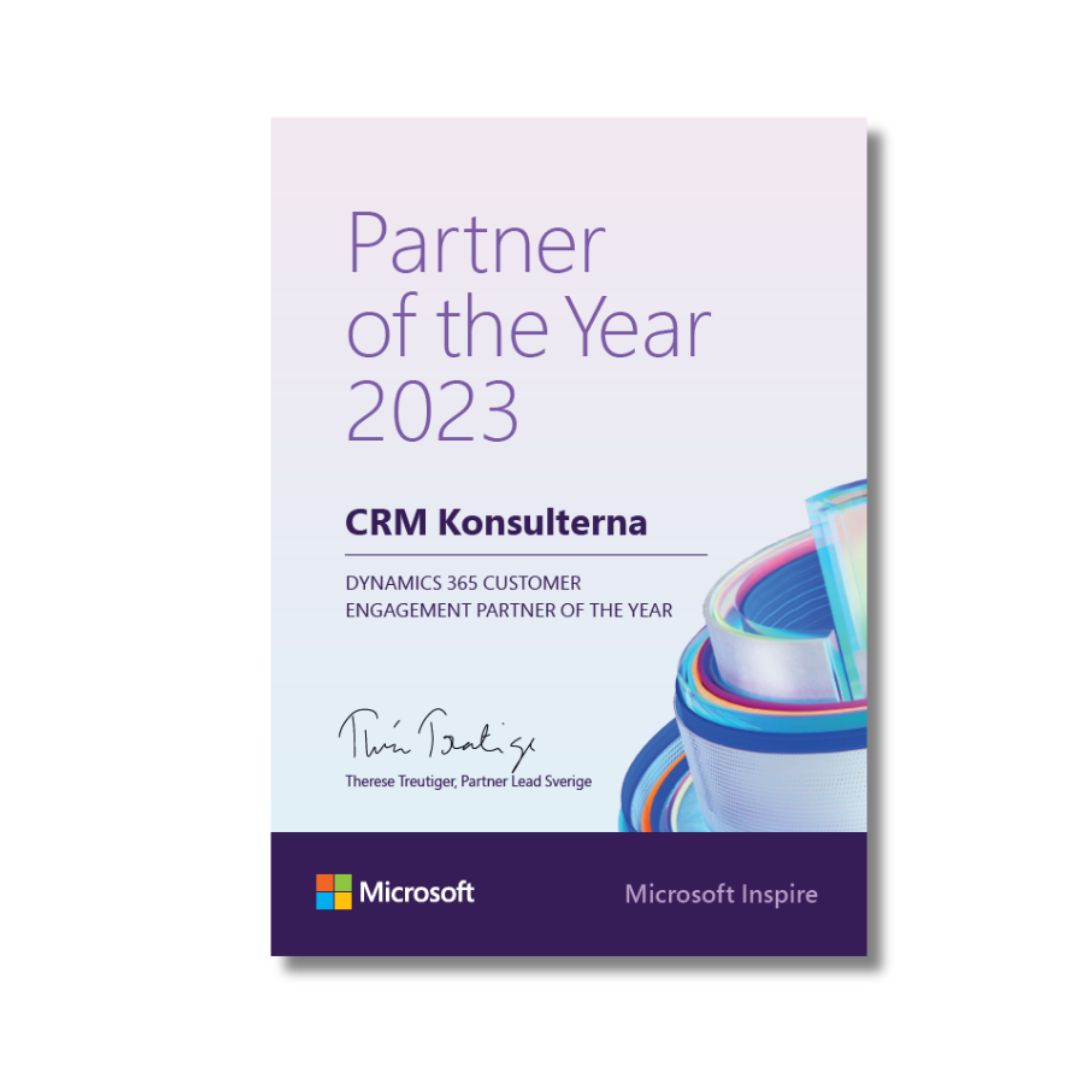
    Vi är årets Dynamics 365 CE partner i Sverige!

    CRMK har fått utmärkelsen – Dynamics 365 Customer Engagement Partner of the Year 2023, av Microsoft Sverige.

    Kontakta oss

    Microsoft partner of the Year 2023

    Vill du lära dig mer om Copilot?

    Är du nyfiken på hur du kan använda Copilot i Dynamics 365 och Power Platform. Vi har workshops för hela teamet så att ni snabbt kan komma igång.

    Kontakta oss

    Bypass FRP Samsung Galaxy S24- S24 Plus- S24 Ul...

    Note: This was patched in the November 2024 security update, but works on launch-day firmware.

    Step 1: On the FRP welcome screen, tap anywhere to start setup. Connect to Wi-Fi.

    Step 2: When asked for the Google account, tap "Forgot password?"

    Step 3: The web browser will open. In the browser search bar, type https://www.google.com and press enter.

    Step 4: In the Google search bar, type: OK Google or tap the microphone icon.

    Step 5: When Google Assistant launches, say: "Open Settings".

    Step 6: If successful, you are now inside the Android Settings menu.

    Result: The phone will boot to a fresh setup screen with no previous account linked.


    Before attempting any bypass, you need:

    FRP is a security feature introduced by Google. After a factory reset, the device requires the previous owner’s Google email and password to proceed. On Samsung’s One UI 6.1 (Android 14) running on the S24 lineup, methods have evolved, but several working techniques exist as of 2025–2026.


    If your S24 Ultra has the December 2025 security patch, almost all software exploits are dead. You must use the "Update from SD card" loophole.

    Procedure:

    Warning: This requires technical skill and the exact firmware for your model (S921B/S926B/S928B). A wrong file can hard-brick your phone.

    Requires: PC with Smart Switch installed + USB cable.

    This method effectively resets FRP because it forces a clean firmware flash. Works consistently on S24 series.


    Factory Reset Protection is a Google security feature mandated since Android 5.1. After a factory reset (done via settings or recovery mode), the phone will ask for the previous owner’s Google email and password before allowing setup to continue.

    On the S24 Ultra specifically, Samsung has patched nearly all "talkback" exploits and accessibility bugs. Modern bypasses rely on system app vulnerabilities or SIM card/MDM tricks.

    For most users, manual exploits are too risky. The safest software tool for the Samsung Galaxy S24, S24+, and S24 Ultra is SamFW FRP Tool. It works via a PC and utilizes a Samsung dialer code vulnerability.

    Supported S24 Models: SM-S921B, SM-S926B, SM-S928B (Exynos) and SM-S921U, SM-S926U (Snapdragon).

    Requirements:

    Instructions:

  • Connect the S24 to your PC. SamFW tool will detect the device in MTP or ADB mode.
  • Click "Remove FRP" (or "Reset Samsung FRP").
  • The tool will inject a token and send a series of ADB commands.
  • Wait for the log to say "Success. Rebooting device."
  • The phone will restart. You should boot directly to the home screen with no Google lock.
  • Why SamFW works: It abuses Samsung's diagnostic test modes, which run at a system level above Google's FRP.
    Kontakta oss med dina frågor!

    Känner du dig osäker eller är du redo att komma igång? Kontakta oss så svarar vi på alla frågor eller föreslår ett uppstartsmöte där vi går igenom era behov.